Laravel’de Resim Yükleme ve Dosya Yükleme Rehberi
Laravel’de resim ve dosya yükleme işlemlerini form, validation, storage, public/private disk, database kaydı, güvenlik ve test örnekleriyle anlatıyorum.
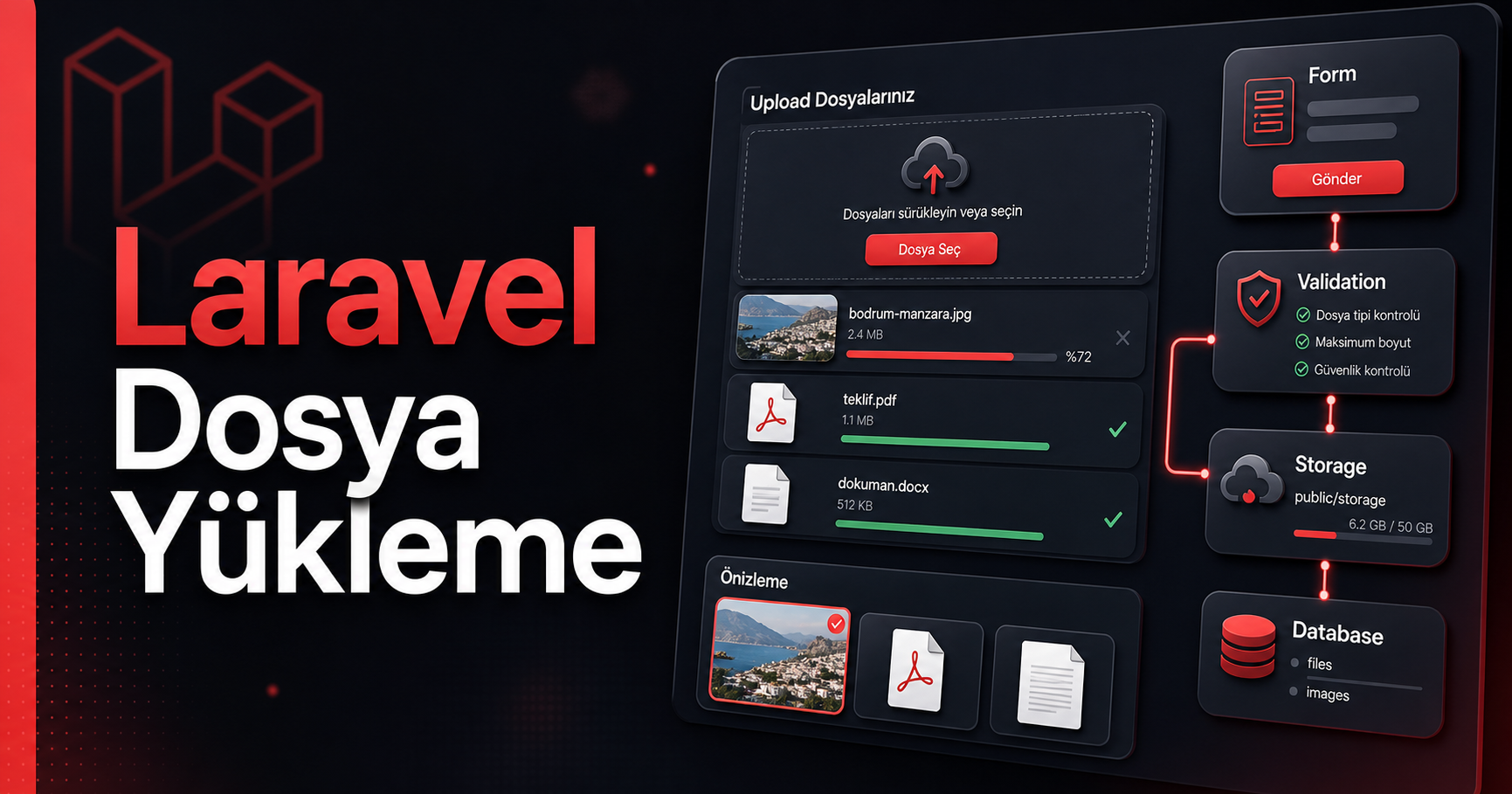
Laravel’de resim yükleme ve dosya yükleme işlemi sadece form içine `type="file"` koymak değildir. Dosyanın tipi, boyutu, nereye kaydedileceği, URL olarak nasıl gösterileceği, veritabanına hangi bilginin yazılacağı, eski dosyanın nasıl silineceği ve güvenlik tarafı birlikte düşünülmelidir.
Bu yazıda Laravel’de tekli resim yükleme, çoklu dosya yükleme, public storage, private dosya indirme, validation, Blade form, controller, migration, dosya silme ve test yazma konularını adım adım anlatacağım. Türkçe’yi çok süslü yapmadan, pratik gidelim.
1. Laravel Storage Mantığı
Laravel dosya işlemleri için `Storage` facade ve disk yapısını kullanır. Disk dediğimiz şey dosyanın nereye yazılacağını belirler. En sık kullanılan diskler:
- local: Dosyalar `storage/app` altında tutulur. Direkt public erişim yoktur.
- public: Dosyalar `storage/app/public` altında tutulur ve `public/storage` linkiyle tarayıcıdan erişilir.
- s3: Amazon S3 veya uyumlu object storage servisleri için kullanılır.
Public resim göstermek istiyorsan genelde `public` disk kullanırsın. Kimlik doğrulama isteyen özel dosyalarda `local` disk daha güvenlidir.
2. Storage Link Oluşturma
Public disk ile yüklenen dosyaların tarayıcıdan görünmesi için şu komut çalıştırılır:
php artisan storage:linkBu komut `public/storage` klasörünü `storage/app/public` klasörüne bağlar. Örneğin dosya `storage/app/public/products/image.jpg` içine kaydedilirse URL tarafında şöyle görünür:
/storage/products/image.jpg3. Örnek Senaryo: Ürün Resmi Yükleme
Bir ürün tablomuz olsun. Ürünün adı, açıklaması, fiyatı ve kapak resmi olacak.
php artisan make:model Product -m
php artisan make:controller ProductController
Migration dosyası:
<?php

use Illuminate\Database\Migrations\Migration;
use Illuminate\Database\Schema\Blueprint;
use Illuminate\Support\Facades\Schema;

return new class extends Migration
{
    public function up(): void
    {
        Schema::create('products', function (Blueprint $table) {
            $table->id();
            $table->string('name');
            $table->text('description')->nullable();
            $table->decimal('price', 10, 2);
            $table->string('image_path')->nullable();
            $table->timestamps();
        });
    }

    public function down(): void
    {
        Schema::dropIfExists('products');
    }
};
Migration çalıştır:
php artisan migrate`app/Models/Product.php`:
<?php

namespace App\Models;

use Illuminate\Database\Eloquent\Model;

class Product extends Model
{
    protected $fillable = [
        'name',
        'description',
        'price',
        'image_path',
    ];
}
4. Blade Form: Resim Yükleme
Dosya yükleyen formlarda en önemli nokta `enctype="multipart/form-data"` kullanmaktır. Bu olmazsa dosya controller’a gelmez.
<form method="POST" action="{{ route('products.store') }}" enctype="multipart/form-data">
    @csrf

    <div>
        <label>Ürün Adı</label>
        <input type="text" name="name" value="{{ old('name') }}">
        @error('name') <p>{{ $message }}</p> @enderror
    </div>

    <div>
        <label>Açıklama</label>
        <textarea name="description">{{ old('description') }}</textarea>
    </div>

    <div>
        <label>Fiyat</label>
        <input type="number" step="0.01" name="price" value="{{ old('price') }}">
        @error('price') <p>{{ $message }}</p> @enderror
    </div>

    <div>
        <label>Ürün Resmi</label>
        <input type="file" name="image" accept="image/*">
        @error('image') <p>{{ $message }}</p> @enderror
    </div>

    <button type="submit">Kaydet</button>
</form>
5. Route Tanımları
`routes/web.php` içine ekleyelim:
use App\Http\Controllers\ProductController;
use Illuminate\Support\Facades\Route;

Route::get('/products/create', [ProductController::class, 'create'])
    ->name('products.create');

Route::post('/products', [ProductController::class, 'store'])
    ->name('products.store');

Route::get('/products/{product}', [ProductController::class, 'show'])
    ->name('products.show');
6. Controller: Resmi Validate Et ve Kaydet
`app/Http/Controllers/ProductController.php`:
<?php

namespace App\Http\Controllers;

use App\Models\Product;
use Illuminate\Http\Request;
use Illuminate\Support\Facades\Storage;
use Illuminate\Validation\Rules\File;

class ProductController extends Controller
{
    public function create()
    {
        return view('products.create');
    }

    public function store(Request $request)
    {
        $validated = $request->validate([
            'name' => ['required', 'string', 'max:150'],
            'description' => ['nullable', 'string', 'max:5000'],
            'price' => ['required', 'numeric', 'min:0'],
            'image' => [
                'nullable',
                File::image()
                    ->types(['jpg', 'jpeg', 'png', 'webp'])
                    ->max(2 * 1024),
            ],
        ]);

        if ($request->hasFile('image')) {
            $validated['image_path'] = $request
                ->file('image')
                ->store('products', 'public');
        }

        $product = Product::create($validated);

        return redirect()->route('products.show', $product);
    }

    public function show(Product $product)
    {
        return view('products.show', compact('product'));
    }
}
Burada `store('products', 'public')` dosyayı `storage/app/public/products` klasörüne kaydeder. Veritabanına tam dosya değil, path yazılır: `products/abc123.jpg` gibi.
7. Resmi Ekranda Gösterme
`resources/views/products/show.blade.php`:
<h1>{{ $product->name }}</h1>

@if ($product->image_path)
    <img
        src="{{ Storage::url($product->image_path) }}"
        alt="{{ $product->name }}"
        style="max-width: 420px;"
    >
@endif

<p>{{ $product->description }}</p>
<p>{{ number_format($product->price, 2) }} TL</p>
Blade içinde `Storage::url()` kullanacaksan view tarafında facade erişimi projenin ayarına göre çalışır. Daha temiz yaklaşım model accessor yazmaktır.
8. Model Accessor ile Resim URL
`Product` modeline şunu ekleyebilirsin:
use Illuminate\Support\Facades\Storage;

public function getImageUrlAttribute(): ?string
{
    return $this->image_path
        ? Storage::disk('public')->url($this->image_path)
        : null;
}
Blade tarafı daha sade olur:
@if ($product->image_url)
    <img src="{{ $product->image_url }}" alt="{{ $product->name }}">
@endif
9. Ürün Güncellerken Eski Resmi Silme
Yeni resim yüklenirken eski resmi silmezsen storage zamanla şişer. Update metodunda eski dosyayı temizlemek gerekir.
public function update(Request $request, Product $product)
{
    $validated = $request->validate([
        'name' => ['required', 'string', 'max:150'],
        'description' => ['nullable', 'string', 'max:5000'],
        'price' => ['required', 'numeric', 'min:0'],
        'image' => [
            'nullable',
            File::image()->types(['jpg', 'jpeg', 'png', 'webp'])->max(2 * 1024),
        ],
    ]);

    if ($request->hasFile('image')) {
        if ($product->image_path) {
            Storage::disk('public')->delete($product->image_path);
        }

        $validated['image_path'] = $request->file('image')->store('products', 'public');
    }

    $product->update($validated);

    return redirect()->route('products.show', $product);
}
10. Ürün Silinirken Resmi Silme
public function destroy(Product $product)
{
    if ($product->image_path) {
        Storage::disk('public')->delete($product->image_path);
    }

    $product->delete();

    return redirect()->route('products.index');
}
Alternatif olarak bu silme işini model event içinde de yapabilirsin. Ama başlangıç için controller içinde görmek daha anlaşılır.
11. Çoklu Dosya Yükleme
Bir başvuru formunda birden fazla PDF veya görsel almak isteyelim. Formda input şöyle olur:
<form method="POST" action="{{ route('documents.store') }}" enctype="multipart/form-data">
    @csrf

    <input type="file" name="documents[]" multiple>

    <button type="submit">Yükle</button>
</form>
Controller:
use Illuminate\Validation\Rules\File;

public function store(Request $request)
{
    $validated = $request->validate([
        'documents' => ['required', 'array', 'max:5'],
        'documents.*' => [
            'required',
            File::types(['pdf', 'doc', 'docx', 'jpg', 'png'])
                ->max(5 * 1024),
        ],
    ]);

    foreach ($request->file('documents') as $file) {
        $path = $file->store('documents', 'public');

        // Burada path veritabanına yazılabilir
    }

    return back()->with('status', 'Dosyalar yüklendi.');
}
`documents.*` kuralı her dosyayı ayrı ayrı kontrol eder. Maksimum dosya sayısı ve dosya başına boyut ayrıca sınırlandı.
12. Dosya Bilgilerini Veritabanında Tutma
Çoklu dosya yükleme yapıyorsan dosya path’i dışında orijinal ad, mime type ve boyut gibi bilgileri de saklamak iyi olur.
php artisan make:model UploadedFile -mMigration:
Schema::create('uploaded_files', function (Blueprint $table) {
    $table->id();
    $table->string('disk')->default('public');
    $table->string('path');
    $table->string('original_name');
    $table->string('mime_type')->nullable();
    $table->unsignedBigInteger('size')->default(0);
    $table->timestamps();
});
Kayıt:
UploadedFile::create([
    'disk' => 'public',
    'path' => $path,
    'original_name' => $file->getClientOriginalName(),
    'mime_type' => $file->getMimeType(),
    'size' => $file->getSize(),
]);
13. Güvenli Dosya İndirme
Herkesin erişmemesi gereken dosyaları public disk içine koymak doğru değildir. Özel dosyaları `local` diskte saklayıp controller üzerinden indirtmek daha güvenlidir.
$path = $request->file('contract')->store('contracts');Bu dosya `storage/app/contracts` altında tutulur. İndirme için route:
Route::get('/files/{file}/download', [FileDownloadController::class, 'show'])
    ->middleware('auth')
    ->name('files.download');
Controller:
use App\Models\UploadedFile;
use Illuminate\Support\Facades\Storage;

public function show(UploadedFile $file)
{
    abort_unless(auth()->user()->can('view', $file), 403);

    return Storage::disk($file->disk)->download(
        $file->path,
        $file->original_name
    );
}
Bu akışta dosya URL ile açık gezmez. Kullanıcı yetkisi kontrol edilir, sonra indirme başlar.
14. Güvenlikte Dikkat Edilecekler
- Dosya tipini mutlaka validate et.
- Boyut limiti koy.
- Public olması gerekmeyen dosyayı public diske koyma.
- Kullanıcının yüklediği orijinal dosya adını direkt path olarak kullanma.
- Resim gösterirken HTML escape ve doğru URL kullan.
- Eski dosyaları silmeyi unutma.
- Gerekirse virüs tarama veya queue ile arka plan kontrolü ekle.
- Sunucuda upload limitlerini kontrol et: `upload_max_filesize` ve `post_max_size`.
15. PHP Upload Limitleri
Laravel validation doğru olsa bile PHP tarafında limit düşükse dosya daha Laravel’e gelmeden reddedilebilir. `php.ini` içinde şu değerler önemlidir:
upload_max_filesize = 10M
post_max_size = 12M
max_file_uploads = 20
Değişiklikten sonra PHP-FPM, Herd, Valet, Apache veya kullandığın server neyse yeniden başlatman gerekebilir.
16. Test Yazma
Laravel dosya upload testini kolaylaştırır. Örnek feature test:
use Illuminate\Http\UploadedFile;
use Illuminate\Support\Facades\Storage;

public function test_product_image_can_be_uploaded(): void
{
    Storage::fake('public');

    $response = $this->post(route('products.store'), [
        'name' => 'Test Ürün',
        'description' => 'Açıklama',
        'price' => 100,
        'image' => UploadedFile::fake()->image('product.jpg', 800, 600),
    ]);

    $response->assertRedirect();

    $product = Product::first();

    $this->assertNotNull($product->image_path);

    Storage::disk('public')->assertExists($product->image_path);
}
Hatalı dosya tipi testi:
public function test_product_image_must_be_an_image(): void
{
    Storage::fake('public');

    $response = $this->post(route('products.store'), [
        'name' => 'Test Ürün',
        'price' => 100,
        'image' => UploadedFile::fake()->create('virus.exe', 100),
    ]);

    $response->assertSessionHasErrors('image');
}
17. Sık Yapılan Hatalar
Formda enctype unutmak: Dosya controller’a gelmez. Mutlaka `enctype="multipart/form-data"` kullan.
storage:link çalıştırmamak: Public diske yüklenen resim URL’de görünmez.
Dosyayı veritabanına binary olarak yazmak: Çoğu projede dosyanın kendisi storage’da, path bilgisi veritabanında tutulmalıdır.
Validation yapmamak: Kullanıcı her şeyi yükleyebilir hale gelir. Bu güvenlik riskidir.
Eski dosyayı silmemek: Storage gereksiz büyür.
Private dosyayı public diske koymak: Yetki kontrolü olmayan dosyalar dışarı açılabilir.
Kısa Özet
php artisan storage:link

$path = $request->file('image')->store('products', 'public');

Storage::disk('public')->url($path);

Storage::disk('public')->delete($path);
Sonuç
Laravel’de resim ve dosya yükleme işlemini sağlam yapmak için form, validation, storage, database, güvenlik ve test adımlarını birlikte düşünmek gerekir. Public resimler için `public` disk ve `storage:link` yeterli olur. Özel dosyalar için `local` disk ve controller üzerinden yetkili indirme daha güvenlidir.
İyi upload sistemi, sadece dosyayı kaydeden sistem değildir. Yanlış dosyayı engeller, eski dosyayı temizler, veritabanında doğru bilgiyi tutar, kullanıcıya doğru URL verir ve testlerle güvence altına alınır.